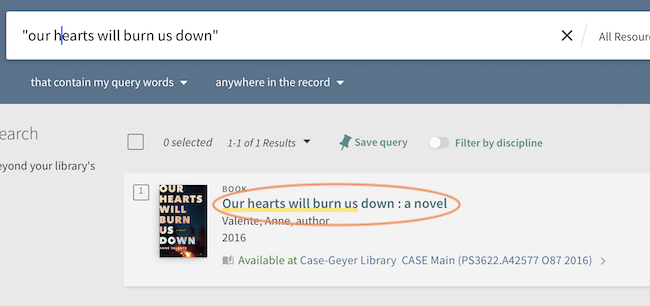
Books from the regular circulating collections in both CASE and COOLEY that are available for checkout (see yellow highlighted section in screen shot below) may be requested and picked up at the Case 3rd Floor Vestibule.
To request an item, first log in to your Colgate Libraries account, then click on the item title (circled in orange below).
Verify that the book is what you need on the next page by reviewing the bibliographic information. To request, click on the “Request” button (circled below in orange)
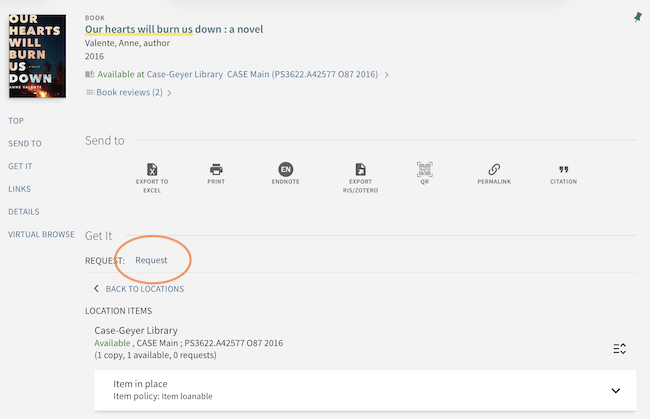
Enter a pickup location and date after which you will no longer need us to fill the title if it is not currently available, and click Submit. If the item is available to loan, you should see a confirmation message. If the item is non-circulating, you may not see a Request button.
You will be notified via email when your materials are available for pickup.
Note: The system will allow you to request materials that are already checked out, to be held when they are checked back in. Because we do not recall items, please do not rely on receiving any materials that are not currently marked as “Available.”